# Shortcodes
The post shortcodes developed by Pro Blogger Templates team are available in all our blogger templates. These shortcodes allow you to add buttons, alerts, contact form, code box and even make simple adjustments to the layout in an easy and intuitive way.
### How To Setup?
If you carefully follow all the steps below, you should have no difficulty using our shortcodes.
#### 1. Post Buttons
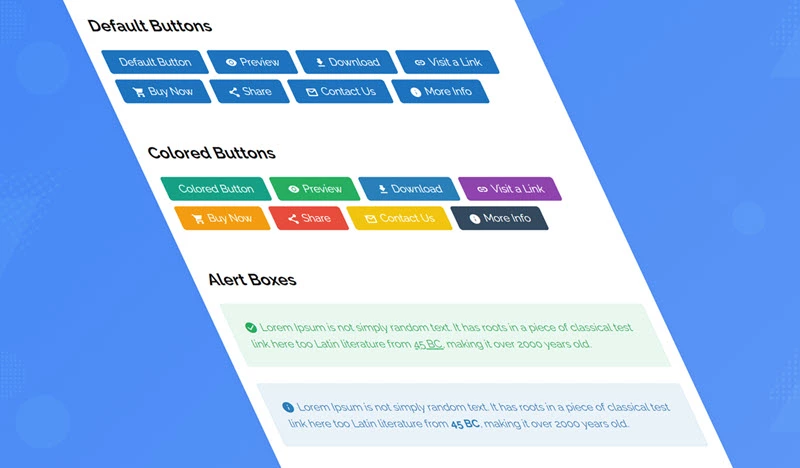
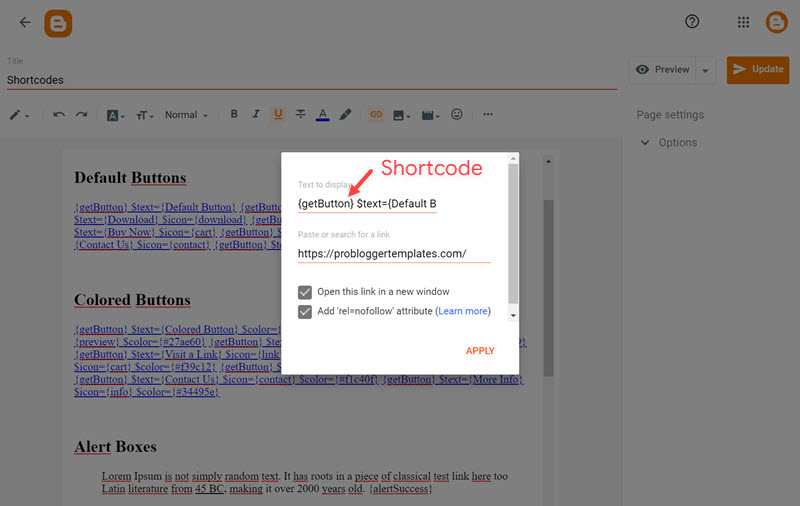
Shortcode: `{getButton} $text={Button Text} $icon={Icon Name} $color={Hex Color}`
Available Icons: `preview`, `download`, `link`, `cart`, `share`, `contact`, `info`, `paypal`, `whatsapp`, `gift`
New Attributes: `$size={Button Size} $info={Info Text}`
Size Options: `1`, `2`
**Note:** In free versions, some features may not be available.
{% hint style="info" %}
INFO: Icon, Color, Size and Info are optional attributes.
{% endhint %}
**Example:**
#### 2. Alert Boxes
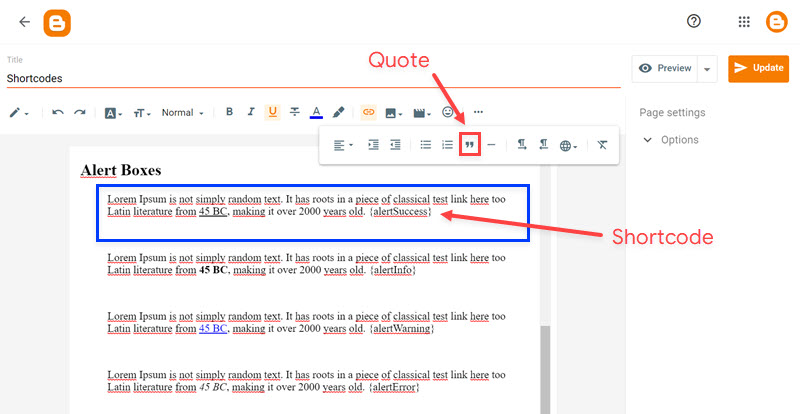
Shortcodes: `{alertSuccess}`, `{alertInfo},` `{alertWarning}`, `{alertError}`
Write whatever you want and add the shortcode, Then select all the desired text including the shortcode and add the **Quote Text** style.
**Example:**
#### 3. Contact Form
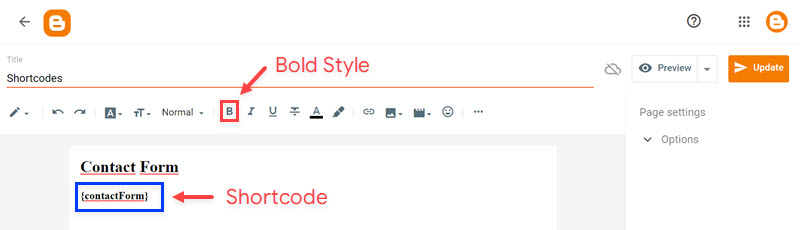
Shortcode: `{contactForm}`
Add the shortcode in the desired area, Then select the shortcode and add the **Bold** style.
**Example:**
#### 4. Code Box
Shortcode: `{codeBox}`
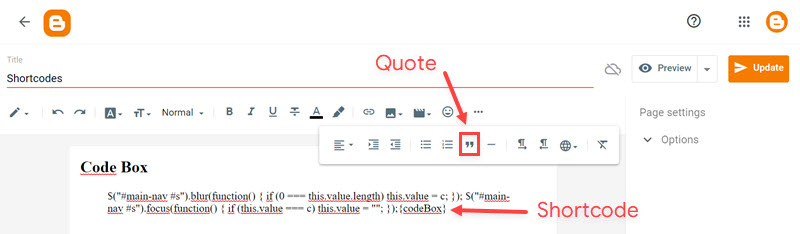
Add the Code and add the shortcode, Then select all the desired code including the shortcode and add the **Quote Text** style.
**Example:**
#### 5. Post Layouts
Shortcodes: `{fullWidth}`, `{leftSidebar}`, `{rightSidebar}`
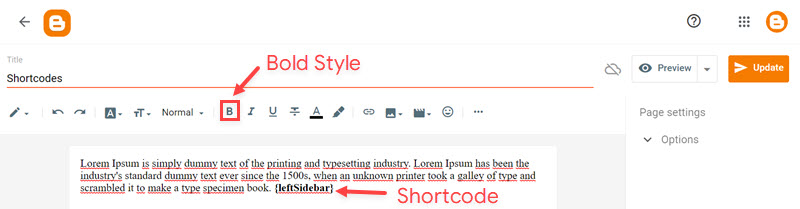
Add the shortcode at the end of the content, Then select the shortcode and add the **Bold** style.
**Example:**
### Video Tutorial
{% embed url="" %}
---
# Agent Instructions: Querying This Documentation
If you need additional information that is not directly available in this page, you can query the documentation dynamically by asking a question.
Perform an HTTP GET request on the current page URL with the `ask` query parameter:
```
GET https://docs.probloggertemplates.com/guides/basic/shortcodes.md?ask=
```
The question should be specific, self-contained, and written in natural language.
The response will contain a direct answer to the question and relevant excerpts and sources from the documentation.
Use this mechanism when the answer is not explicitly present in the current page, you need clarification or additional context, or you want to retrieve related documentation sections.