> For the complete documentation index, see [llms.txt](https://docs.probloggertemplates.com/guides/llms.txt). Markdown versions of documentation pages are available by appending `.md` to page URLs; this page is available as [Markdown](https://docs.probloggertemplates.com/guides/labeauty/getting-started/post-gadgets.md).
# Post Gadgets
Access your blog **Layout** > and click on the **Add a Gadget** > **HTML/JavaScript** > in the **Sidebar** or **Footer** sections.
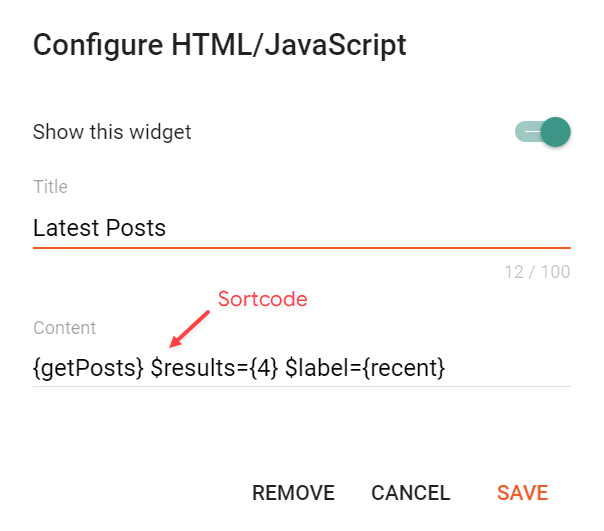
Shortcode: `{getPosts} $results={Number of Results} $label={Your Label} $type={Gadget Type}`
Label Options: `Label Name` or `recent`
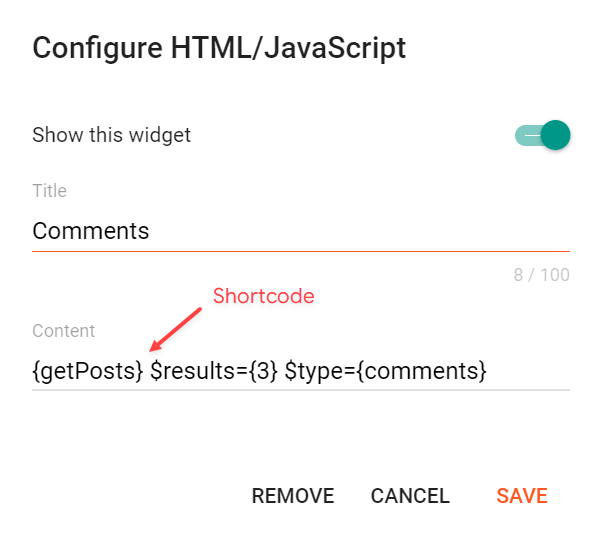
Type Options: `posts`, `comments`
Type Attribute: The `$type={}` attribute is only required for the comments type.
**Posts Example:**
**Comments Example:**
{% hint style="info" %}
INFO: For the comments type, the `$label={}` attribute is not required.
{% endhint %}