> For the complete documentation index, see [llms.txt](https://docs.probloggertemplates.com/guides/llms.txt). Markdown versions of documentation pages are available by appending `.md` to page URLs; this page is available as [Markdown](https://docs.probloggertemplates.com/guides/spotlight/getting-started/safelink-generator.md).
# SafeLink Generator
This online tool allows the creation of safelinks with modern and exclusive cryptography fully compatible with the [Download Page](/guides/spotlight/getting-started/download-page.md) and [Safe Page](/guides/spotlight/getting-started/safe-page.md) functionalities.
{% stepper %}
{% step %}
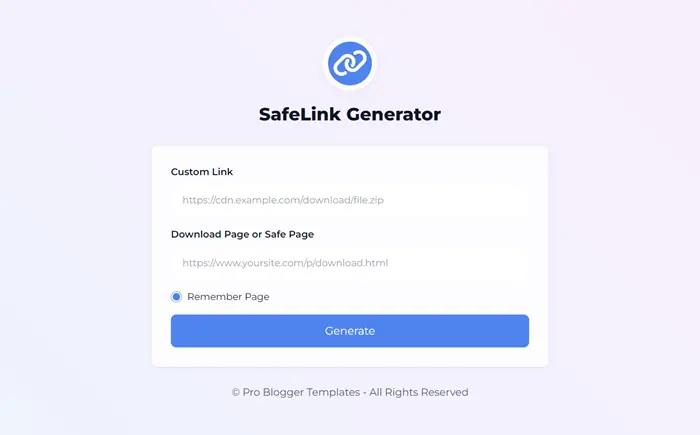
Go to the [SafeLink Generator](https://safelink.probloggertemplates.com/).
 {% endstep %}
{% step %}
Add the **Custom Link** you want to encrypt in the first field.
{% endstep %}
{% step %}
Add your **Download Page** or **Safe Page** link in the second field.
{% endstep %}
{% step %}
Click the **Generate** button.
{% endstep %}
{% step %}
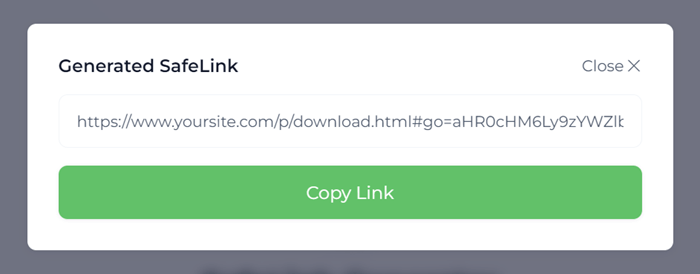
Done! Click the **Copy Link** button to get the Generated Safelink.
{% endstep %}
{% step %}
Add the **Custom Link** you want to encrypt in the first field.
{% endstep %}
{% step %}
Add your **Download Page** or **Safe Page** link in the second field.
{% endstep %}
{% step %}
Click the **Generate** button.
{% endstep %}
{% step %}
Done! Click the **Copy Link** button to get the Generated Safelink.
 {% endstep %}
{% endstepper %}
{% hint style="info" %}
INFO: The generated safelink is only compatible with official **PBT** templates that support **Download Page** or **Safe Page** functionality.
{% endhint %}
{% endstep %}
{% endstepper %}
{% hint style="info" %}
INFO: The generated safelink is only compatible with official **PBT** templates that support **Download Page** or **Safe Page** functionality.
{% endhint %}