> For the complete documentation index, see [llms.txt](https://docs.probloggertemplates.com/guides/llms.txt). Markdown versions of documentation pages are available by appending `.md` to page URLs; this page is available as [Markdown](https://docs.probloggertemplates.com/guides/starter/getting-started/main-posts.md).
# Main Posts
Access your blog **Layout** > and click on the **Edit Icon** > in the **Main Posts/Blog Posts** gadget.
**Example:**
### Comments Settings
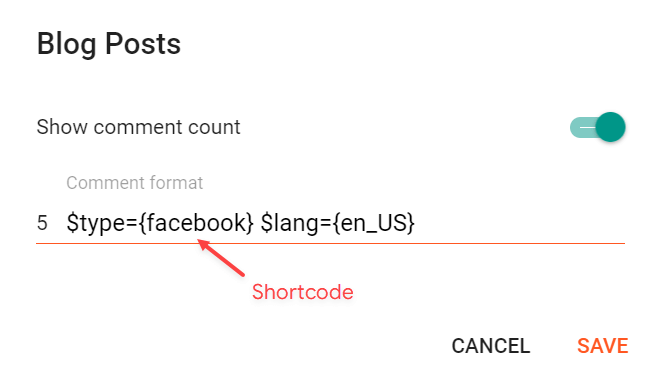
The comment settings are intuitive like never seen before. The shortcodes should be added in > **Layout** > **Blog Posts** > **Comment Format**.
Blogger Shortcode: `$type={blogger}`
Disqus Shortcode: `$type={disqus}`
Custom Disqus Shortcode: `$type={disqus} $shortname={Your Shortname}`
Facebook Shortcode: `$type={facebook}`
Facebook Custom Language: `$type={facebook} $lang={Language Code}`
Facebook Language Codes: `en_US`, `es_ES`, `ar_AR`, `id_ID`, `th_TH`, `vi_VN`, `pt_BR`, `fr_FR`, `ru_RU`, `de_DE`, `it_IT`
{% hint style="info" %}
INFO: To use other languages you should check if it is supported by facebook. ([Facebook Languages](https://developers.facebook.com/docs/internationalization)).
{% endhint %}
**Example:**